01 Home
What needs you today
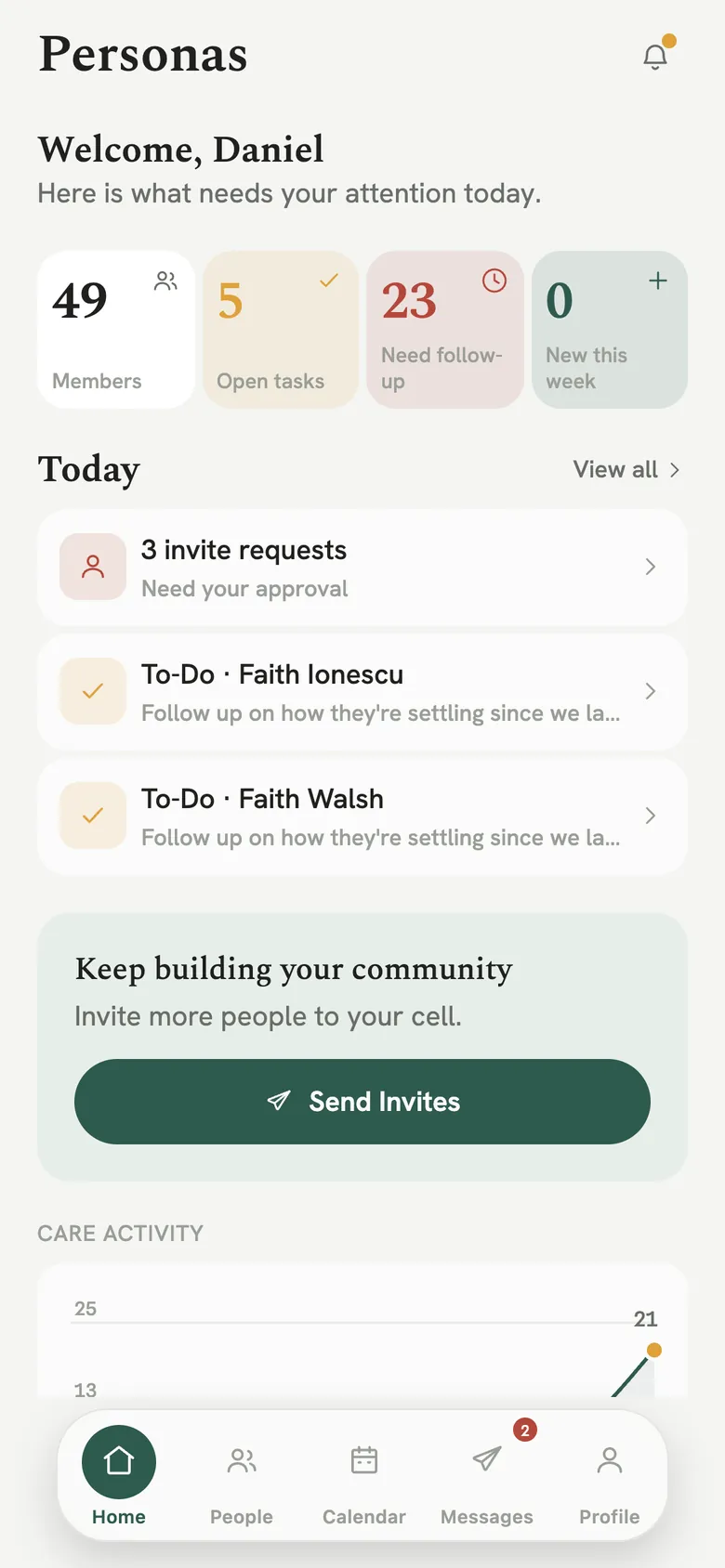
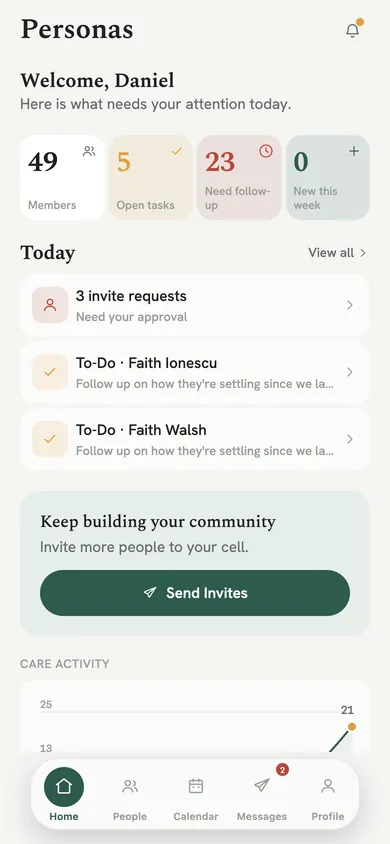
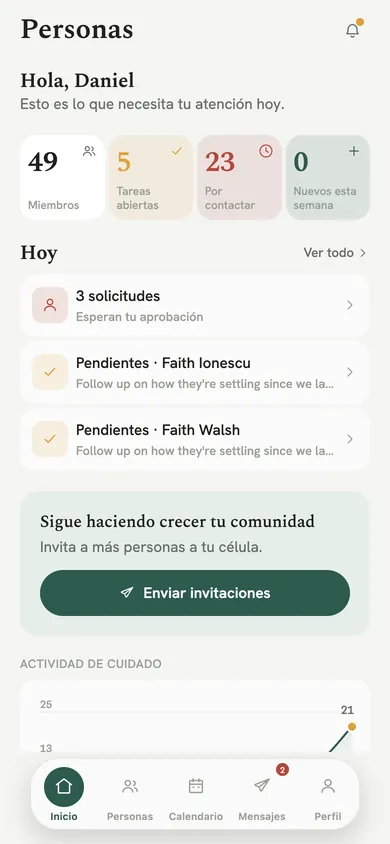
Members, open tasks, who needs a follow-up and who is new this week, then today's list: people asking to join, and people to call.
Personas helps a pastor and the leaders beside them keep up with the people God has given them: who needs a call this week, what was said last time, and who has gone quiet. Members find the announcements, prayer, the Bible and Sunday's sermon in the same place.
Coming to the App Store. Free during launch, in English and Spanish.
Personas keeps the whole church in view without turning people into a spreadsheet. It notices who has gone quiet and puts them at the top of your list.
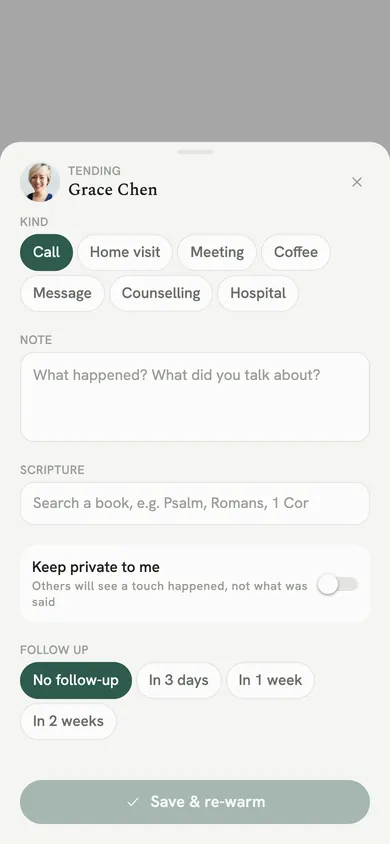
Log a call, a visit, a coffee or a hospital visit in a few taps. Add a note, a verse and a follow-up, keep it private if it should be, and they warm back up on your list.
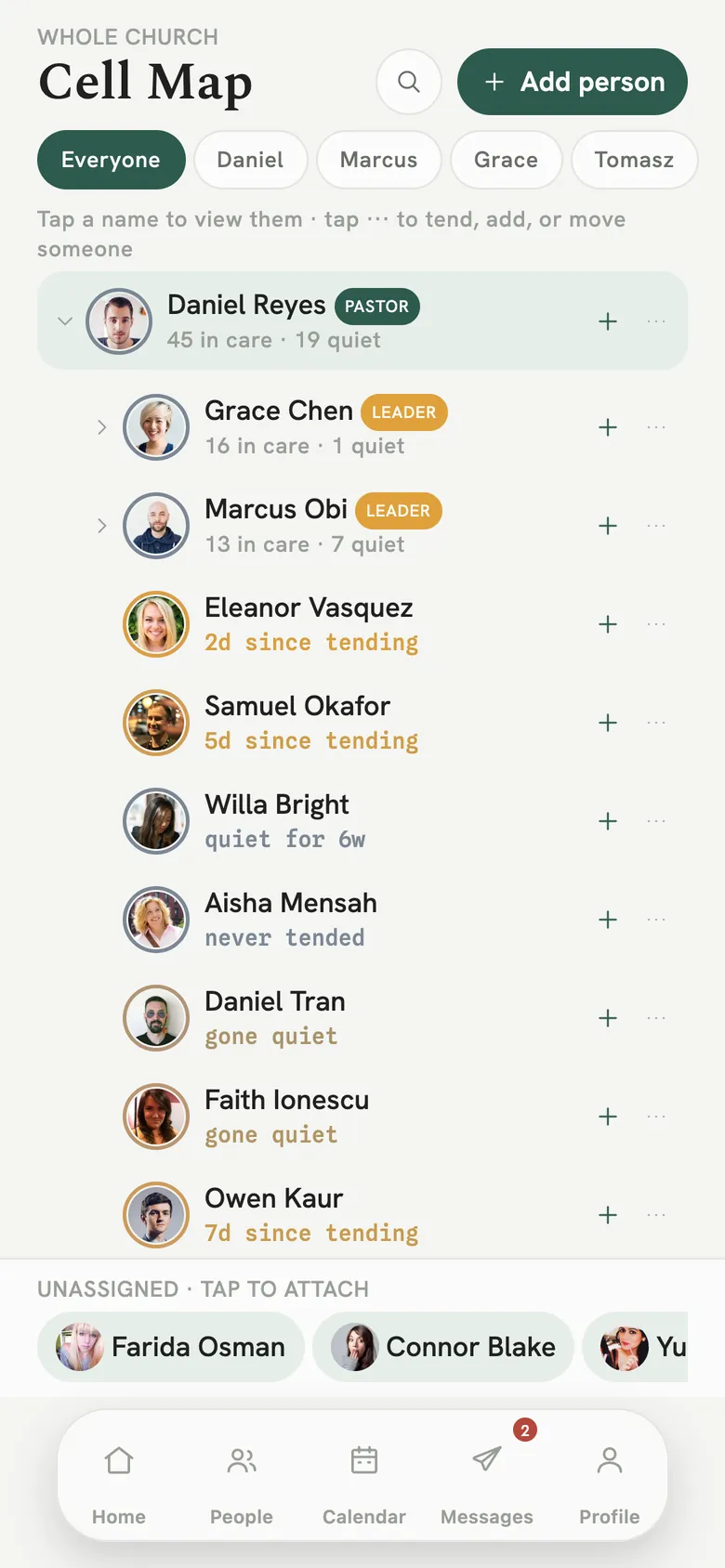
The church as a tree of who looks after whom. Move someone to a new leader, and see who is not attached to anyone yet.
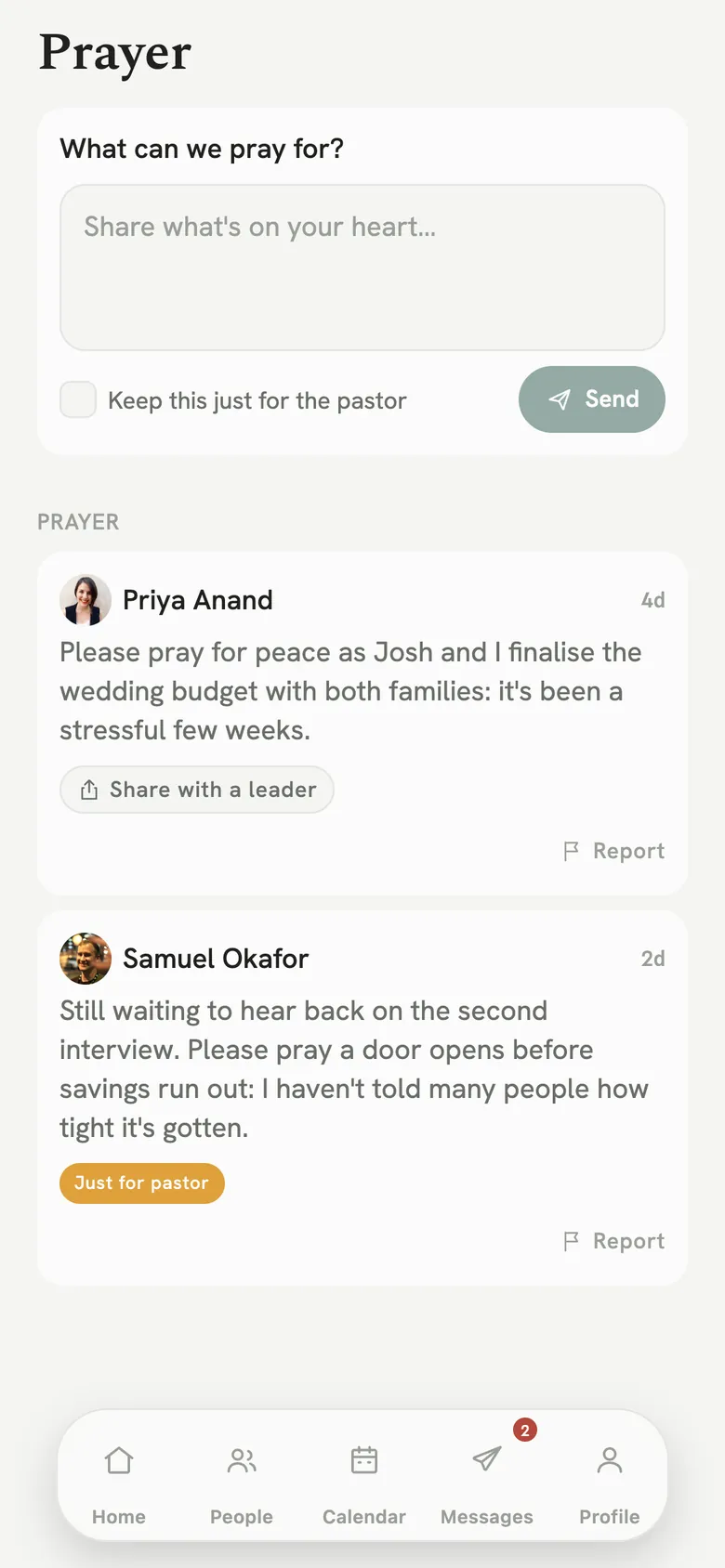
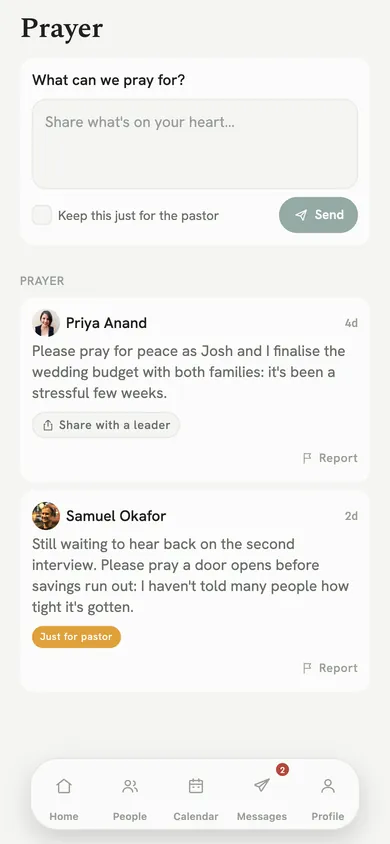
Members share what is on their heart. A request can stay with the pastor alone, or be shared with a leader who will pray too.
Birthdays, baptisms and anniversaries come up before they arrive, so no milestone slips past.
Personas is built on a trust line. A leader cares for their own people without reading everyone else's notes, and a member gets a calm app for Sunday and the week in between. The rules are kept on our server, not only in the app.
Every person and every leader, the cell map, attendance, finance and the join queue. The pastor invites the leaders.
Your own people and nobody else's. Tend them, message them, book a time, and invite new members into your care.
Announcements, the live sermon, the Bible, prayer, groups and giving. Message your leaders when you need them.
Your church shares a join code. You ask to join, and a leader approves you. There is no public directory.
Real screens from the app, showing the sample church that ships inside it. Nobody on these screens is a real member.
Members, open tasks, who needs a follow-up and who is new this week, then today's list: people asking to join, and people to call.
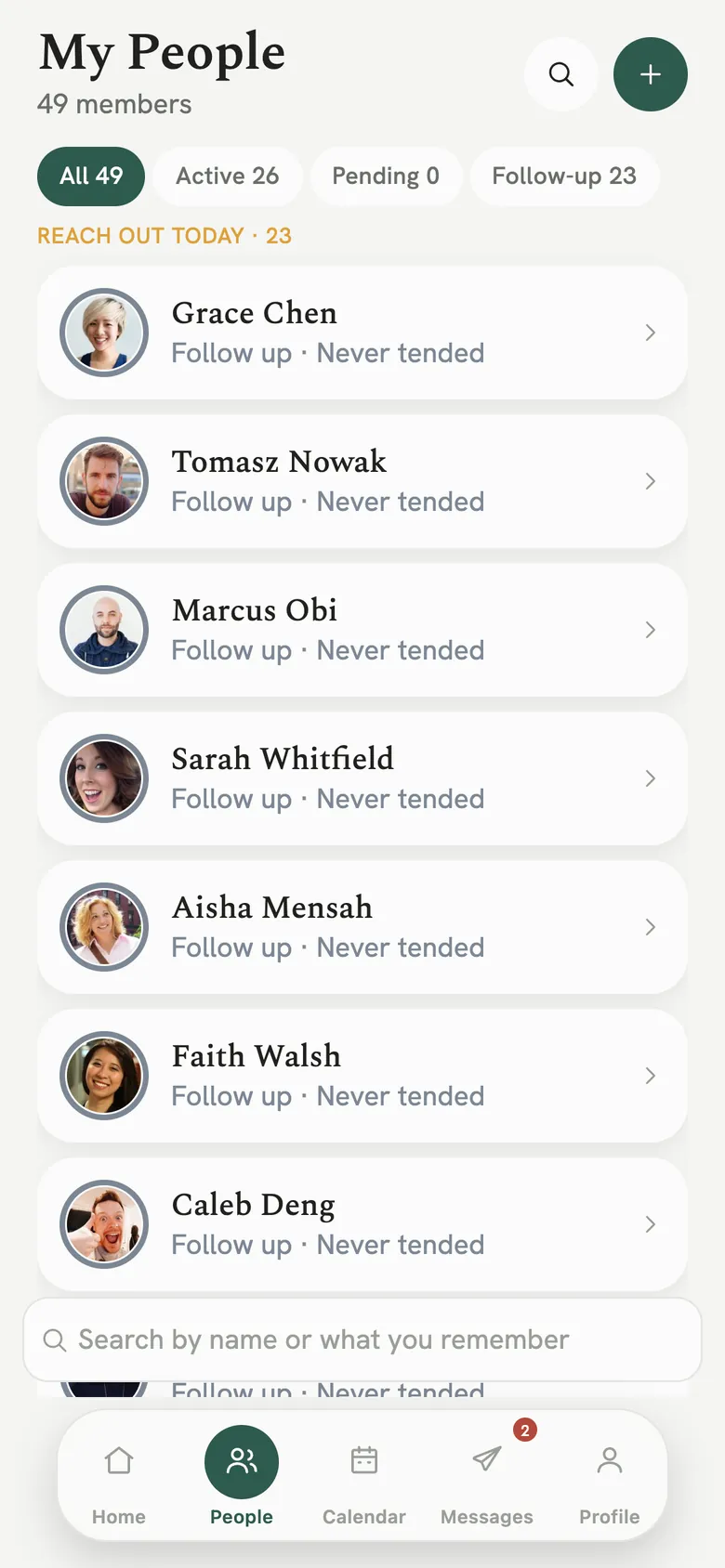
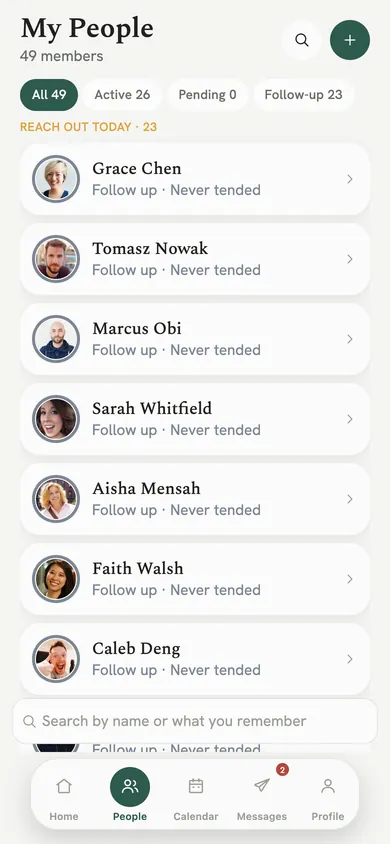
Everyone in your care, sorted by how they are doing, with the people waiting on you at the top. Search by a name, or by something you remember about them.
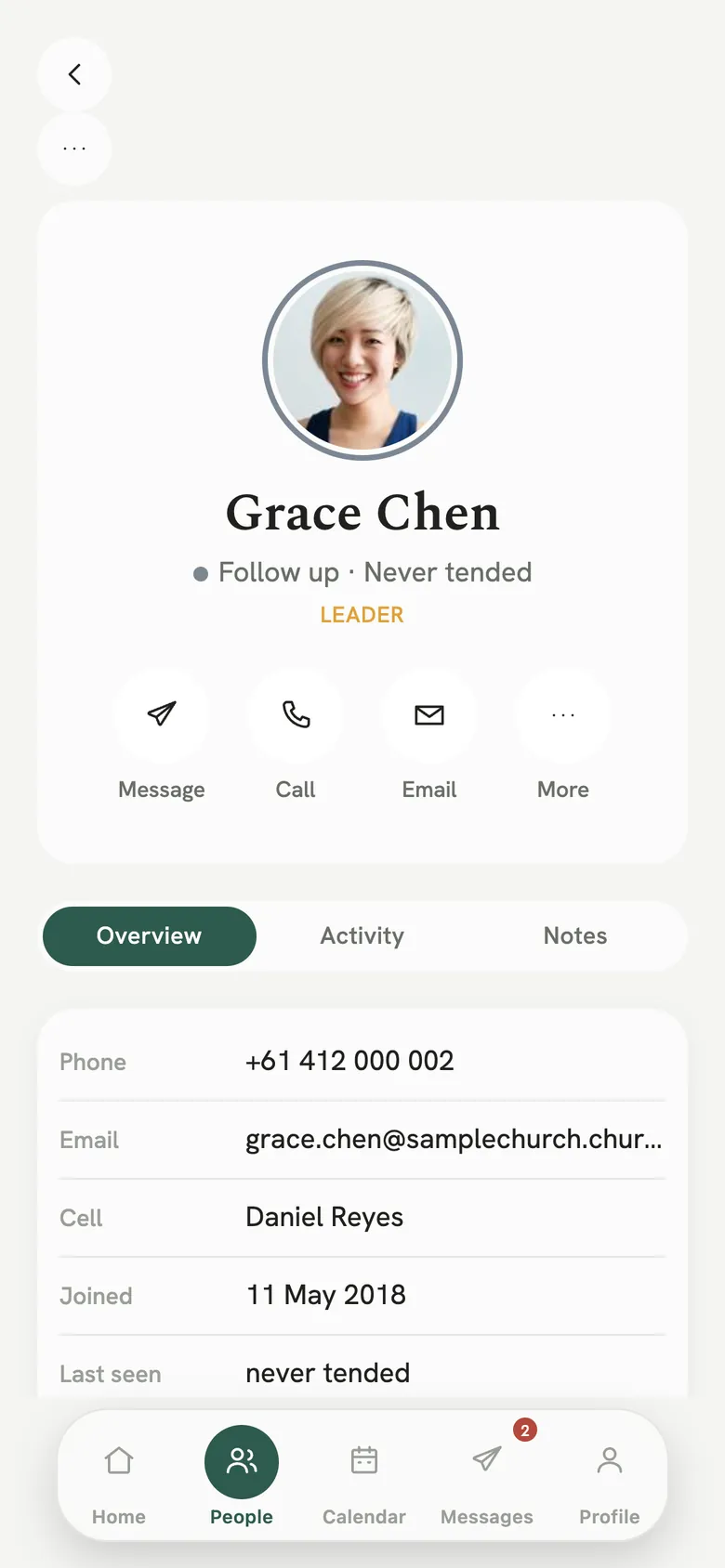
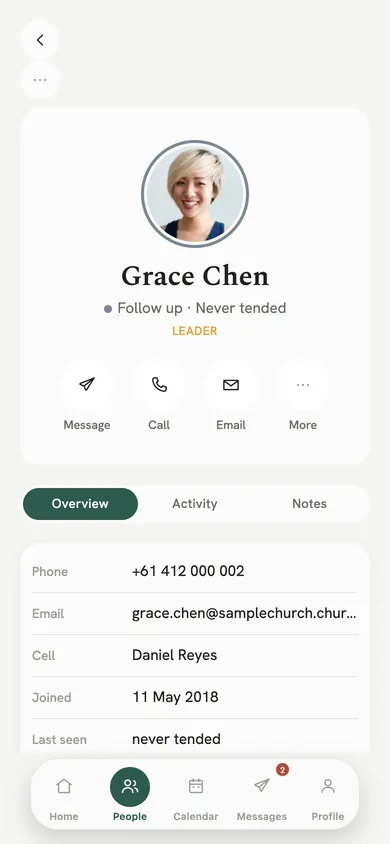
Message, call or email in one tap. Their details, their activity and your notes, in one place.
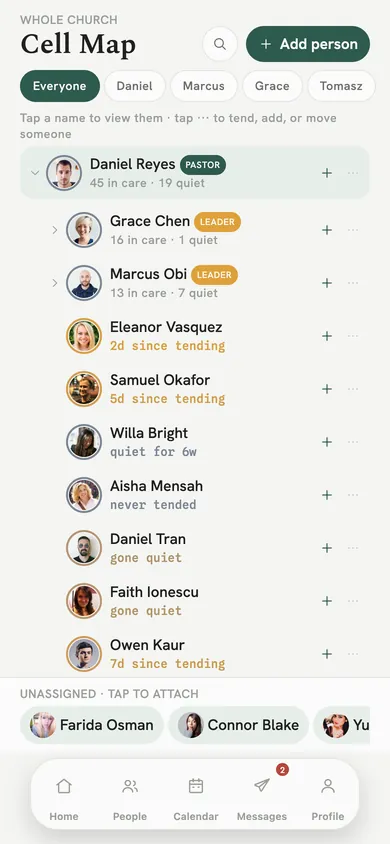
The whole church as a tree: how many each leader cares for, who has gone quiet, and who is not attached to anyone yet.
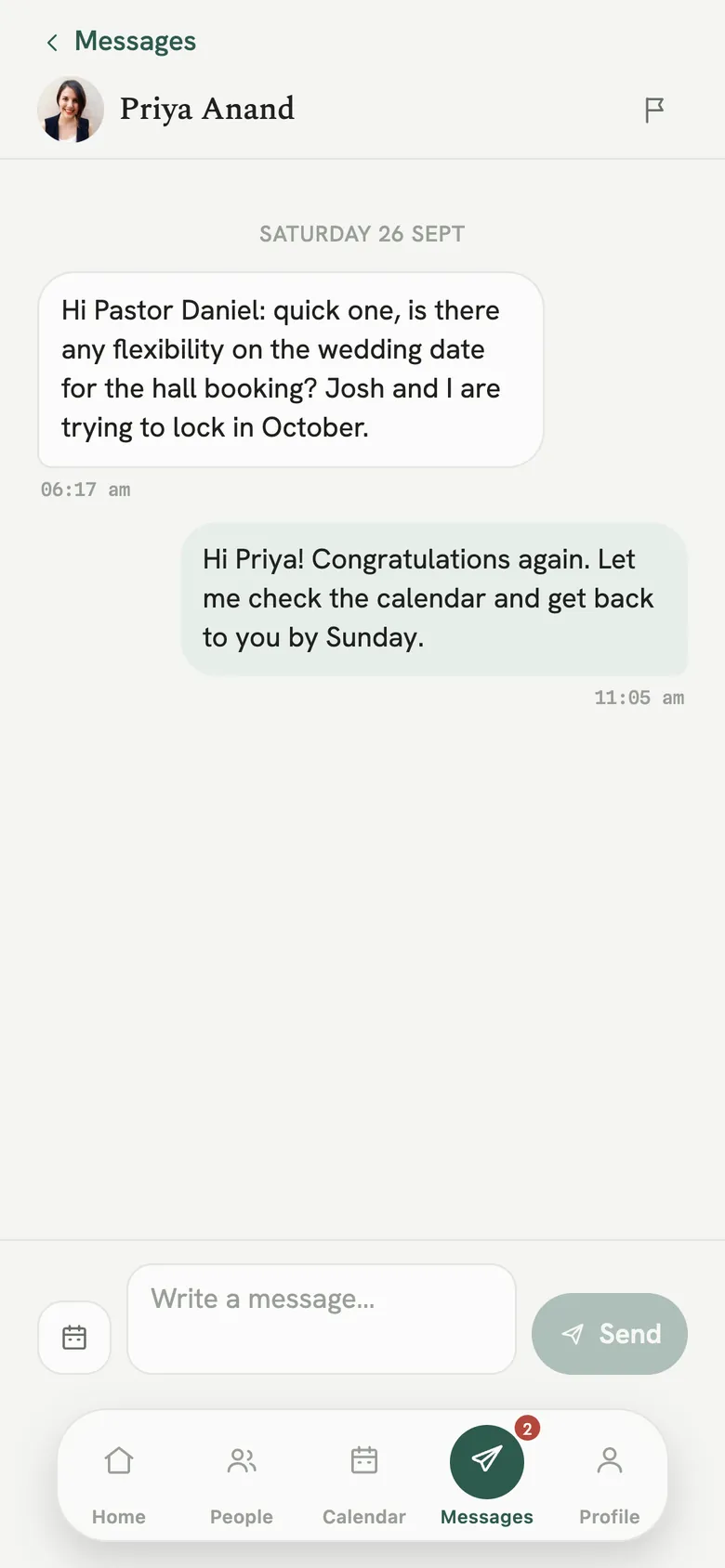
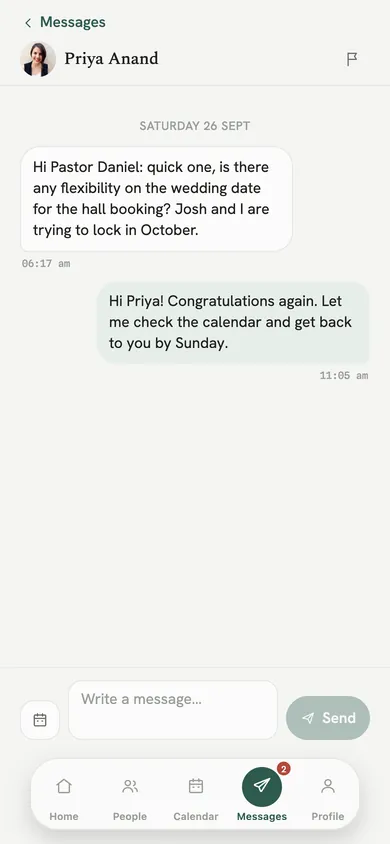
Direct messages inside your church. The flag in the header is where Report and Block live.
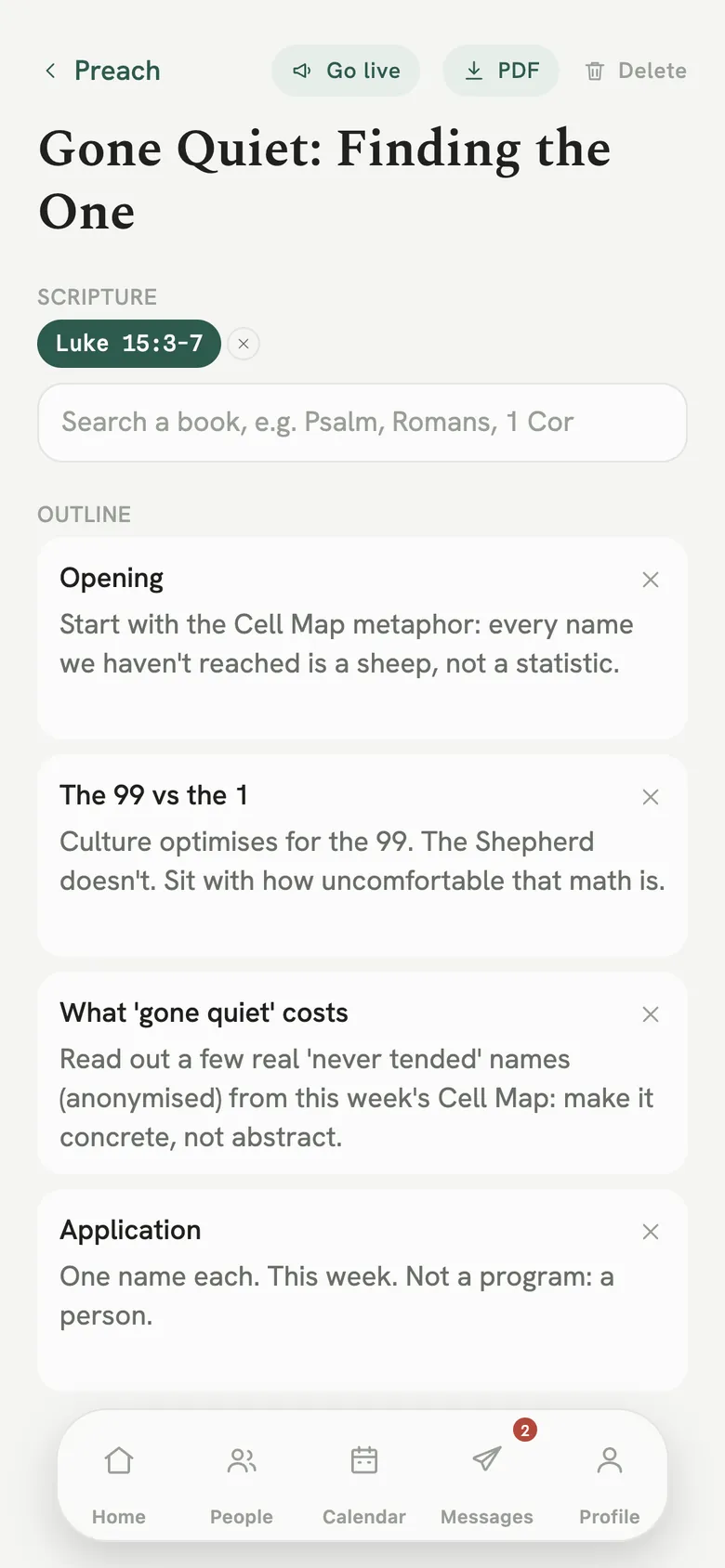
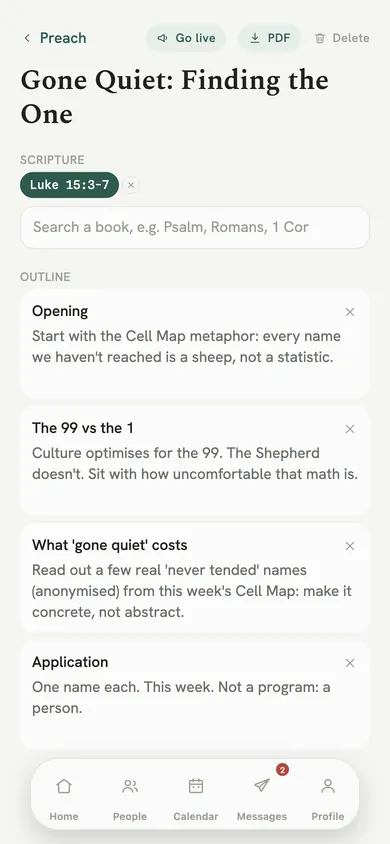
Tag the Scripture, shape the outline section by section, and go live on Sunday so the church can follow along.
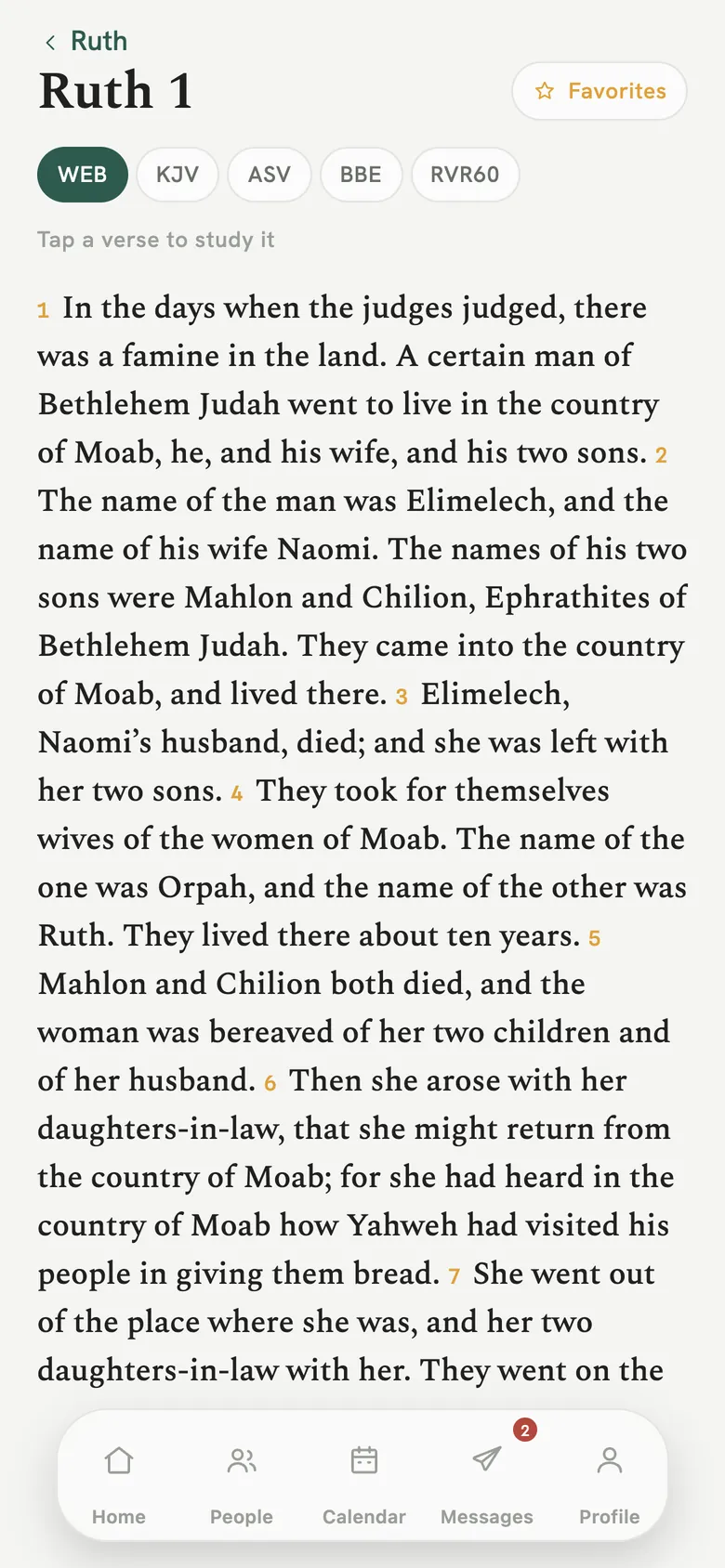
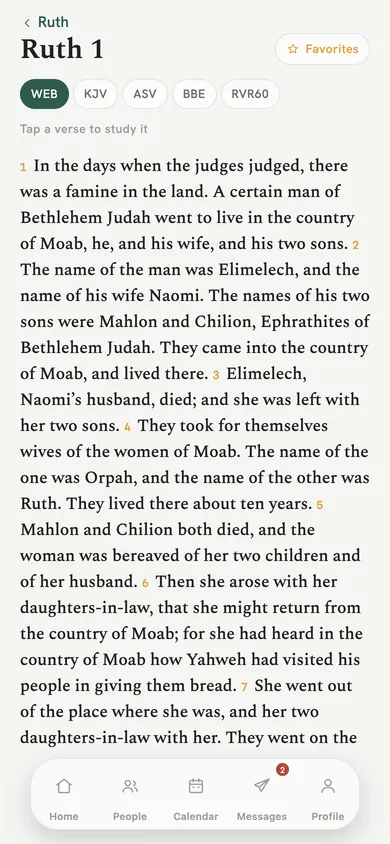
Switch translation at the top, keep favourites, and write your own notes on any verse.
Requests from the church, a way to keep one just for the pastor, and Report on anything that should not be there.
Write the sermon, preach it with the church following along, and turn what you said into short clips for the days after.
Preach. Outlines in sections, with Scripture tagged by reference as you write.
Go live. Share the sermon live so members follow the outline and the verses as you preach, and add your livestream link for anyone watching from home.
Study timer. A quiet timer for study time, which you can move out of the way or hide.
Studio. Record short videos for social media, reading from a teleprompter. Your clips stay on your phone until you choose to share them.
Read in the translation you prefer, tap a verse to study it, and bring verses into a sermon or a note about someone you are caring for.
Favourites. Keep the verses you return to in one list.
Study notes. Tap any verse and write what you see in it.
Verses where you need them. Tag a passage in a sermon outline or in a Tend note.
16Ruth said, "Don't urge me to leave you, and to return from following you, for where you go, I will go; and where you stay, I will stay. Your people will be my people, and your God my God."
Personas does not take card payments and never holds money. Members see your church's bank details with a reference, and the gift goes straight from their bank to yours.
One tap to copy each line, so nobody retypes a BSB from a slide.
No card payments. Personas does not process payments or collect card details. The transfer happens in the giver's own bank.
Finance, on the web. The pastor imports bank statements and prepares year-end giving statements on the web version, on a computer.
Attendance that counts itself. Visitors scan the door QR code to check in, first-timers included.
An illustration of the Giving screen. Your church enters its own details in the app.
Direct and group messages inside your church, announcements for everyone, and a scheduling card that books a meeting in two taps and adds it to your calendar.
Report names a person, never a whole room. We ask first, then an email reaches our team with the person and the conversation.
Block is kept on our server, not just hidden on your phone. The conversation goes and their messages are hidden. Unblock from their profile.
Your contacts stay yours. Imported contacts stay on your phone until you add someone yourself.
The whole app speaks English and Spanish, from the first screen to the last button. Each person chooses their own, so a bilingual church runs on one app.
Not yet. Personas is being prepared for the App Store now. Until it is listed, write to support@think-app.com and we will tell you how to start. We will not show a download button until there is something to download.
Your church shares a join code. Open Personas, tap Join an organisation, type the code in, and a leader approves you. A leader can also invite you by email. The steps are on the Support page.
Personas is free during launch. Nothing is sold in the app: there are no in-app purchases and no subscriptions. If paid plans ever come, the price will be shown before anyone is asked to pay, and the terms will change first.
A leader sees the people in their own care, the pastor sees the church, and a member sees announcements, the live sermon, the Bible, prayer, groups and giving. A prayer request marked private goes to the pastor only, and a Tend note kept private shows others that a visit happened, not what was said. Churches are kept separate from each other.
With Supabase in Sydney, Australia, over encrypted connections. There is no advertising, no tracking and no analytics. The detail is in the privacy policy.
Personas is an iPhone app, and it also runs in a web browser on a computer. Finance import and the year-end giving statement are on the web version.
It is built for churches first. The same tools work for a club or a team: when you start an organisation you say which it is, and the app speaks its language.
In the app: Profile, then Delete my account, then Delete. What is removed and what stays with your church is set out on Delete your account.
Personas is being prepared for the App Store. If you would like it for your church, or you already have a join code, write to us and a person will answer, usually the same day, Brisbane time.
Not listed yet. There is no download link until there is one.
Free during launch. No in-app purchases.
English and Spanish, on iPhone and on the web.